Tutorials
This page points to practical tutorial material that exists in the repository today. Use Getting Started first if you have not yet verified that Annolid opens a video and saves annotations in your environment.
Choose a Tutorial Path
| If you need to... | Use |
|---|---|
| Learn the basic GUI tracking loop | Tracking four interacting mice with one labeled frame and Workflows |
| Downsample or preprocess videos | GUI video downsample workflow and Video Processing with FFmpeg |
| Speed up CUTIE tracking | Segment-based batch tracking and GUI video downsample workflow |
| Track sparse body-part keypoints without training a pose model | DINOv3 Keypoint Tracking, TAPNext ONNX point tracking, or CoWTracker point tracking |
| Score behavior events | Behavior labeling with Timeline, Flags, and Annolid Bot |
| Define zones and export zone metrics | Draw zones quickstart and Zone analysis workflow |
| Correct CUTIE ID switches, drift, or missing frames | Segment-based batch tracking and Tracking correction with SAM3 Agent and Annolid Bot |
| Train or evaluate models | Notebook tutorials in docs/tutorials/ and model-specific annolid-run help output |
| Run realtime camera workflows | Realtime Wireless Camera Detection and Multi-Camera Realtime Detection |
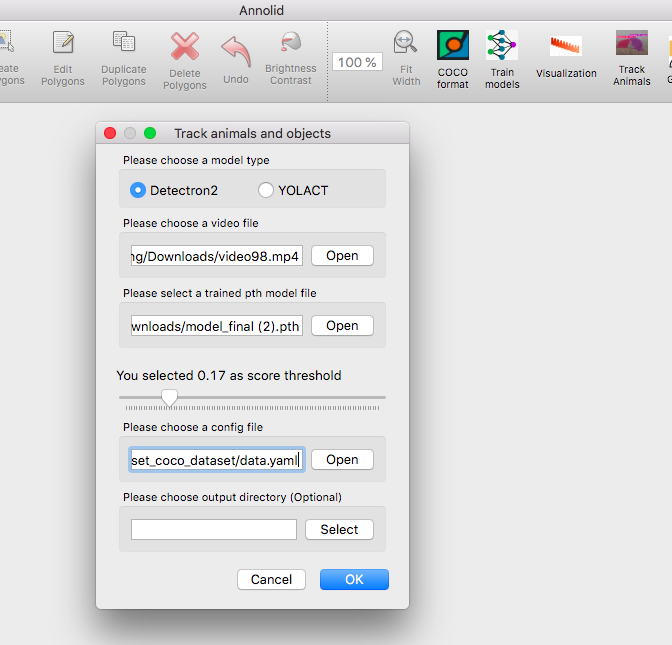
Video Walkthroughs
Focused Markdown Tutorials
- GUI video downsample workflow (single video + batch overrides)
- Behavior labeling with Timeline, Flags, and Annolid Bot
- Segment-based batch tracking
- Tracking correction with SAM3 Agent and Annolid Bot
- Draw zones quickstart (GUI)
- Zone analysis workflow
- TCN behavior classification from pose features
- Multi-camera realtime detection
- LabelMe to YOLO class mapping
- Sandboxed shell for Annolid Bot
- MCP setup and usage
- Video Depth Anything
- SAM 3D integration
- DINOv3 Keypoint Tracking
- TAPNext ONNX point tracking
- CoWTracker point tracking
- Large TIFF and atlas overlays
Notebook Tutorials in docs/tutorials/
Representative notebooks currently tracked in the repo:
docs/tutorials/Extract_frames_from_a_video.ipynbdocs/tutorials/yolov8_tracking_tutorial.ipynbdocs/tutorials/Annolid_video_batch_inference.ipynbdocs/tutorials/Annolid_model_evaluation.ipynbdocs/tutorials/Annolid_Pose_Estimation_on_YOLO_Tutorial.ipynbdocs/tutorials/Annolid_Instance_Segmentation_on_YOLO_Tutorial.ipynbdocs/tutorials/YOLO_SAHI_inference_for_ultralytics.ipynbdocs/tutorials/zero_shot_object_detection_and_tracking_with_grounding_dino.ipynbdocs/tutorials/RAFT_optical_flow.ipynbdocs/tutorials/Annolid_behavior_video_classification_on_slowfast.ipynb
How To Choose
- Start with the GUI/video workflow if you are labeling or reviewing data interactively.
- Use the notebook tutorials when you need training, evaluation, or post-processing examples.
- Use the markdown guides when you need an operational setup such as MCP, sandboxed shell execution, or batch tracking.
- Use
annolid-run help train <model>orannolid-run help predict <model>when a tutorial mentions a model backend and you need the current command-line options.
Repository-first Note
Some older docs still link to historical book content, but the current maintained tutorial sources for this repo live under docs/ and docs/tutorials/.