Agent and Automation
Use this section when you are configuring Annolid Bot, connecting external tools, or running repeatable workflows through the agent stack.
Start Here
Agent CLI
Run Annolid-native CLI flows through the typed annolid_run path.
MCP
Connect external tools and resources through Model Context Protocol servers.
Open MCP guideCodex and ACP
Bridge Annolid with Codex-style workflows and ACP-compatible runtime paths.
Open Codex and ACP guideCalendar
Schedule and coordinate tasks with Google Calendar-aware agent flows.
Open calendar guideWorkspace and Secrets
Configure Google Drive/Calendar integrations, local secret storage, and channel-safe credentials.
Open workspace guideMemory and Security
Manage retrieval-backed memory and harden agent behavior before scaling up.
Open security guideRecommended Sequence
- Start with Annolid Agent and annolid-run for safe CLI execution.
- Configure MCP if you need external tools or browser/file bridges.
- Set up Google Integrations and Agent Secrets before enabling integrations.
- Review Agent Security and Memory Subsystem before turning on broader automation.
What Lives Here
- typed agent tool execution,
- bot-assisted model discovery, training help, and background fine-tuning runs,
- MCP connectivity,
- Codex and ACP integration notes,
- calendar and Google integrations,
- secret handling,
- memory-backed agent behavior,
- security and operational guardrails.
Ollama Context Limits
Annolid Bot sends an explicit num_ctx on Ollama agent, plain-chat, and recovery
requests. The default is 16,384 tokens so the agent instructions and conversation
are not constrained by a smaller server default such as 4,096 tokens.
For a context-size rejection before any output, Annolid retries once with a larger window. When Ollama reports the prompt token count, the retry reserves an additional 1,024 tokens for the response and rounds up to a 1,024-token boundary. Otherwise it attempts to double the window. Automatic growth stops at 32,768 tokens by default. The original messages and tool schemas are preserved.
To adjust these limits, merge these fields into the existing ollama object in
~/.annolid/llm_settings.json, then restart Annolid:
{
  "ollama": {
    "num_ctx": 16384,
    "max_num_ctx": 32768
  }
}
Both values must be positive integers, with max_num_ctx >= num_ctx. Set them
equal to disable automatic growth. A larger window requires more model memory;
choose limits supported by your model and hardware. These settings do not extend
a model's trained context capacity. If the bounded retry fails, shorten the
conversation or revise the limits. Annolid reports the error without switching
to a plain request that omits the agent instructions. Context-size errors do not
disable tool support, and failed requests are included in LLM timing logs.
Recovering Unreadable Agent History
Agent conversations and turn snapshots are stored as JSONL files. A missing file starts new history. An existing file with invalid JSON, invalid metadata, or unreadable contents raises a storage error instead of being treated as empty history. Failed loads are not cached, and snapshot appends stop before replacing an unreadable log. The GUI logs history load and save failures, including the affected path, while keeping the chat interface available.
If a history read fails, use the file path in the error to locate the affected
file. Stop the affected agent, back up the file, and repair it or restore a known
good copy before retrying. To intentionally start fresh, move the backed-up file
out of the sessions directory and restart the affected agent. Snapshot logs live
in the snapshots/ subdirectory and can be recovered separately.
Writes replace the destination only after serialization completes, and failed writes clean up their temporary files. Snapshot appends are serialized within one session manager; simultaneous updates from separate processes or managers are not merged. Use one active writer per session.
GUI Startup
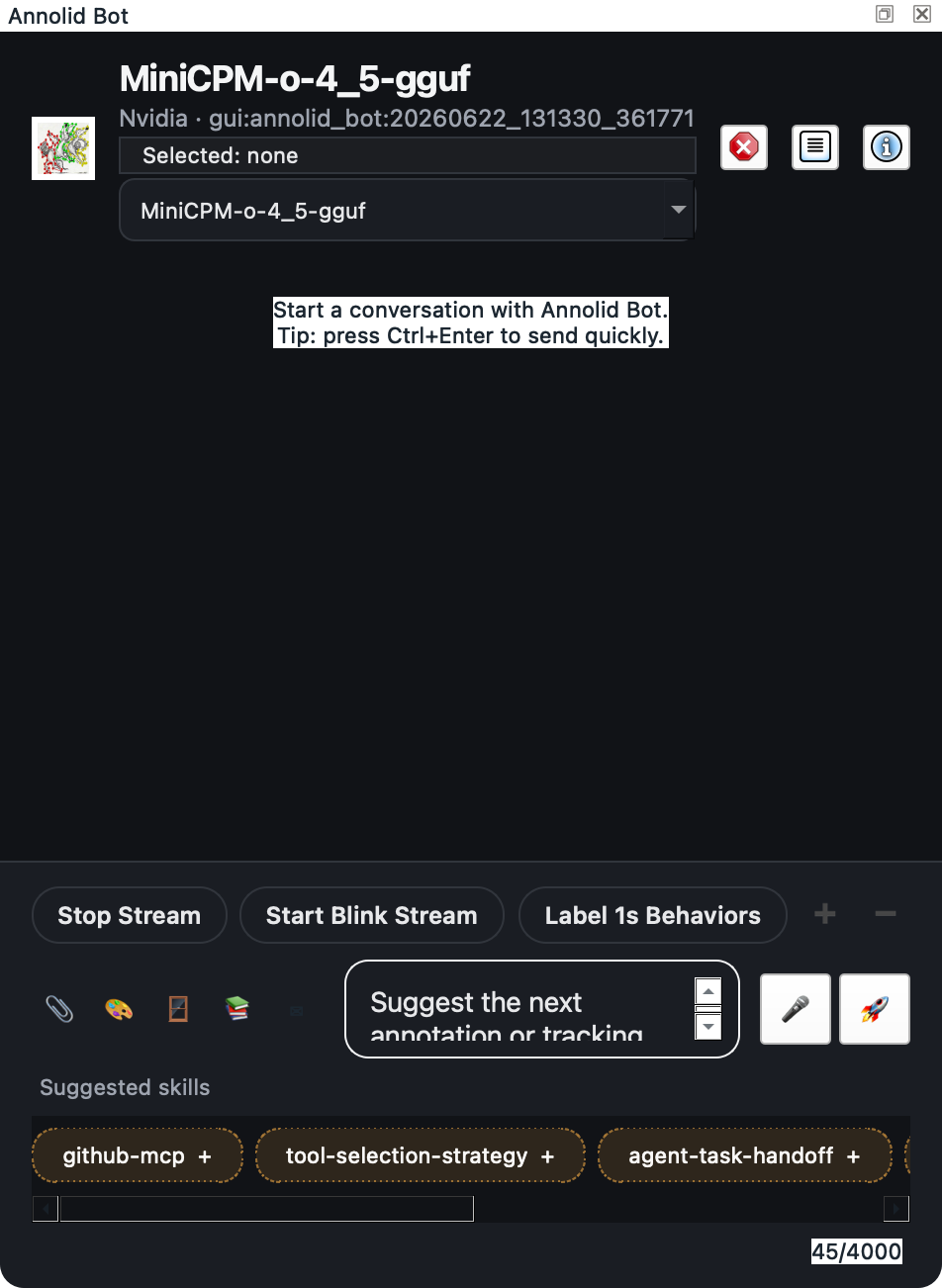
Open AI & Models -> Annolid Bot... when you want to use the chat dock or start Bot-backed background services. On Windows, Annolid does not auto-start hidden Bot background services during GUI launch by default, because optional channel startup can make Qt appear busy before the first user interaction. To restore hidden startup for a configured Windows automation machine, set:
set ANNOLID_ENABLE_BOT_AUTOSTART=1
In PowerShell, use:
$env:ANNOLID_ENABLE_BOT_AUTOSTART = "1"
ANNOLID_DISABLE_BOT_AUTOSTART=1 still disables hidden startup on every
platform.
Text-only and Multimodal Models
The GUI may attach the current canvas or window to a chat turn. If an OpenAI-compatible model is known to be text-only, Annolid removes multimodal blocks before the request while preserving the text and adding an explicit note that the attachment was omitted. If an endpoint independently reports that its selected model is not multimodal, Annolid retries once with the same text-only conversion. This lets models such as NVIDIA Nemotron 3 Ultra handle ordinary chat without requiring a multimodal server flag.
Annolid does not hide the same error for a vision-language model whose server was started without multimodal processing. In that case, enable multimodal processing in the model server or choose a text-only turn/model as appropriate.
Model Call Reliability
Annolid normalizes model calls across OpenAI-compatible, Anthropic, OpenAI Codex, and Codex CLI runtimes:
- transient failures such as connection errors, timeouts, HTTP 429 responses, and server errors receive one bounded retry before normal GUI or channel fallback handling;
- provider
Retry-Aftervalues up to 30 seconds are respected, while longer waits are surfaced immediately so the GUI and channel workers do not hang; - a stream is never retried after visible content has been emitted, avoiding duplicated partial answers;
- empty successful responses are treated as retryable provider failures rather than saved as blank assistant turns;
- provider errors are bounded and common credential forms are redacted before they reach logs or user-facing error handling; and
- session-only metadata and internal
_metapaths are removed from outbound messages and tool schemas.
Configured provider credentials are passed directly to the selected SDK client; model resolution does not copy them into process-wide environment variables. Existing environment-based configuration remains supported when loading settings.
Inline images sent through an API data URL are limited to 20 MiB. Larger images must be resized before sending. Codex CLI image paths are not base64-encoded by Annolid and keep the CLI runtime's own input limits.
Dream Memory Runs
Annolid Bot now supports phase-based Dreaming memory maintenance commands in chat:
/dreamruns one full dreaming sweep over newmemory/HISTORY.mdentries (light -> REM -> deep)./dreaming statusshows cursor + latest run/phase status./dreaming helpshows direct command help./dream-logshows the latest Dream run./dream-log <run_id>shows a specific run./dream-restorelists recent Dream runs./dream-restore <run_id>restores the pre-run memory snapshot.
Runtime artifacts:
- Cursor:
memory/.dream_cursor - Machine state:
memory/.dreams/ingestion.json,memory/.dreams/recall-store.json,memory/.dreams/phase-signals.json - Run log:
memory/dream_runs.jsonl - Snapshots:
memory/.dream_snapshots/<run_id>/ - Dream diary/report output:
memory/DREAMS.md(or existingmemory/dreams.md) andmemory/dreaming/deep/YYYY-MM-DD.md - Long-term promotions:
memory/MEMORY.md(deep phase only)
Behavior notes:
- Light and REM phases do not write to
MEMORY.md. - Deep phase promotions use internal threshold gates (
min score,min recall count,min unique query contexts) and skip duplicates already present inMEMORY.md. - Existing
/dream,/dream-log,/dream-restore, and cron wiring remain backward compatible;/dreamnow executes the full phase pipeline.
Background scheduling is optional and config-driven under:
agents.defaults.dream.enabledagents.defaults.dream.interval_hoursagents.defaults.dream.max_batch_entriesagents.defaults.dream.initialize_cursor_to_end
When enabled, Annolid Bot registers a protected system cron job (dream) that
executes Dream runs directly (no model guesswork).
Inline Subagent Consultations
The spawn tool supports both independent background work and blocking
consultation:
wait=false(default) starts a background task and reports its task ID.wait=trueruns a native subagent consultation and returns the result to the current agent turn so it can inform the final answer.
Inline consultations are tracked by the same task lifecycle and cancellation
manager while running, then removed after completion so they do not appear as
stale background tasks. wait=true is intentionally unavailable for ACP
sessions, which are long-lived interactive coding sessions. Specialized
spawn_behavior_subagent calls support the same wait option.
Bot Training Workflows
Annolid Bot now exposes typed training tools for model discovery and launch:
annolid_dataset_inspectinspects a dataset folder, summarizes raw LabelMe annotations, detects external formats such as DeepLabCut, COCO, and YOLO folders, distinguishes between saved trainable specs and inferred dataset layouts, and recommends the next prep/training step.annolid_dataset_prepareprepares a dataset folder for training by generating a LabelMe spec with train/val/test splits, inferring and writing a reusable COCO spec, importing DeepLabCut training data into LabelMe plus an Annolid index, or exporting a YOLO dataset from raw LabelMe or COCO annotations.annolid_train_modelslists trainable model families, aliases, and task hints.annolid_train_helpreturns plugin-specific training help such asdino_kpsegflags.annolid_train_startlaunches long-runningannolid-run train ...jobs in the background and returns a managed shellsession_idfor follow-up polling throughexec_process. It can now acceptdataset_folder, auto-resolve saved dataset configs, and for DinoKPSEG it can stage an inferred COCO spec into the workspace cache when the folder is structurally valid butcoco_spec.yamlhas not been written yet.
This is intended for workflows such as:
- DINOv3-based keypoint segmentation fine-tuning with
dino_kpseg - Ultralytics YOLO pose fine-tuning with the
posetask preset - Ultralytics YOLO segmentation or detection runs with the matching task preset
Typical dataset-to-training flow:
- Inspect the folder with
annolid_dataset_inspect - If the folder only has inferred COCO structure or raw LabelMe annotations, run
annolid_dataset_prepare - Start training with
annolid_train_startand passdataset_folder
For external pose datasets, the first prep step can now stay inside the bot workflow. In particular, a DeepLabCut project with labeled-data/**/CollectedData_*.csv can be converted through annolid_dataset_prepare(mode="deeplabcut_import"), which writes LabelMe JSON sidecars, an optional pose schema, and an Annolid label index that can then feed the rest of the dataset/training pipeline. COCO folders can be turned into coco_spec.yaml with mode="coco_spec" or materialized into YOLO data.yaml datasets with mode="coco_to_yolo" when the target model family expects Ultralytics layout. If the target model is dino_kpseg, the bot can also stage an inferred COCO spec automatically under the workspace cache during annolid_train_start.
The training launcher prefers the workspace .venv interpreter when present so bot-initiated runs use the same dependency environment recommended for local validation.
SAM3 Long-Video Tracking
Annolid Bot can run SAM3 Agent on long videos through the sam3_agent_video_track tool.
Use it when the video needs windowed tracking and the same object must survive:
- occlusion
- drift
- repeated reappearance
- identity carry-over across windows
Recommended decision rule:
- Use
video_infoif you only need metadata. - Use
video_run_model_inferenceif you want a genericannolid-run predict ...flow. - Use
gui_segment_track_videoif you are already inside the GUI and want the interactive open+track path. - Use
video_segment_frame_gridto sample a bounded video segment into one annotated image grid before asking a multimodal model to describe visible events or behaviors. The tool returns the grid path plus frame/timestamp metadata for each tile. - Use
sam3_agent_video_trackif you want Annolid Bot to refine the first frame of each window with SAM3 Agent before propagation.
Example prompt:
Track the mouse in /path/to/video.mp4 with SAM3 Agent.
Use a window size of 5, stride 5, and save the summary to the default output folder.
Defined-list behavior labeling uses frame grids by default. For example:
Label behavior in mouse.mp4 with labels grooming, rearing, walking from defined list every 1s frames per grid 4
Annolid resolves the requested labels against the current behavior catalog when available, splits the video into 1-second segments, builds one annotated chronological frame grid per segment, and sends each grid to the selected VLM for a single JSON label decision. Each grid samples 4 frames by default; users can override this with phrases like frames per grid 6 or the tool argument sample_frames_per_segment=6.
During parsing, behavior labels are matched with case, space, hyphen, and
underscore tolerance. no_behavior remains a reserved reviewed-segment marker
when no listed behavior is visible, not a timeline behavior to train as a
pose/keypoint or polygon class.
In the GUI chat box, type /behavior to open the guided behavior-labeling
form. The form lets you choose the active Annolid Bot provider/model, edit the
behavior list, set segment duration and frames per grid, add protocol-specific
prompt context, and run the same resumable segment-labeling workflow.
What the tool returns:
- a JSON summary
frames_processedmasks_writtensummary_path
Default artifact path:
<video_stem>_sam3_agent/<video_stem>_sam3_agent_tracking.json
Use dry_run=true first if you want to confirm paths and settings without running the model.
Bot Evaluation Reports
Annolid Bot also exposes a typed evaluation reporting tool:
annolid_eval_startlaunches supported evaluation jobs such as DinoKPSEG evaluation or YOLO validation and returns a managed shell sessionannolid_eval_reportreads saved evaluation artifacts such as DinoKPSEG eval JSON, YOLOresults.csvandpredictions.json, or behavior-classifiermetrics.json- it normalizes core metrics into a paper-style summary table
- it can write JSON, Markdown, CSV, and LaTeX report files when a report directory is provided
Typical bot evaluation flow:
- Start the eval job with
annolid_eval_start - Poll the background session with
exec_process - Turn the produced artifacts into a paper-ready summary with
annolid_eval_report
Supported eval launch families today:
dino_kpsegyolobehavior_classifier
The report output is designed to support common ML reporting practice:
- explicit dataset/model/split metadata
- primary test metrics in a compact table
- confidence intervals when the source metrics support them
- explicit quality checks that flag missing CI coverage, weak sample size, or run-stability gaps
- artifact inventory for confusion matrices, curves, and raw metric files
- reproducibility notes so the bot reports from saved artifacts instead of handwritten numbers
For yolo, prefer launching evaluation with save_json=true so Ultralytics writes predictions.json. When the run directory also lets the report tool resolve a COCO-style annotation file from args.yaml and the dataset YAML, annolid_eval_report can add deterministic bootstrap confidence intervals for mAP@50 and mAP@50-95 instead of leaving those cells as NA.
For behavior_classifier, the eval launcher can now also write confusion-matrix and precision-recall curve figures directly during evaluation via --plot-dir, so the resulting run is closer to paper-ready without a separate plotting step.
Research Paper Swarm Launcher
The GUI now includes AI & Models → Draft Research Paper with Swarm…, which opens Annolid Bot with a prefilled prompt that invokes draft_paper_swarm.
- If a PDF is open, the launcher passes the current PDF title and path into the prompt so the swarm can ground the draft in the active paper.
- The bot can build a
build_research_packetpreflight first. The packet combines collected literature, novelty risk, a manuscript review rubric, writing checklist, and guardrails against fabricated citations or numbers. draft_paper_swarmsearches literature by default, passes the collected references into the swarm, and adds the research packet guardrails to the drafting task. Setmax_literature_results=0only when you intentionally want to skip search.- Use
assess_paper_drafton generated markdown to flag placeholder text, missing manuscript sections, weak citation coverage, and numeric-claim risk before treating the draft as paper-ready. - This is a thin GUI entry point over the same swarm-backed paper drafting workflow used by the agent tools.
Citation Integrity Workflow
Annolid Bot and the Citation Manager now support citation verification reports for research-pipeline quality checks.
gui_save_citationsupportsverify_after_save=trueto emit a per-entry integrity result and report artifact.gui_verify_citationsverifies an existing.bibfile in batch and returnsverified/suspicious/hallucinated/skippedcounts plus an aggregate integrity score.- Direct command example:
verify citations from refs.bib limit 200 - Citation Manager dialog now includes:
Verify after savefor context savesVerify .bibfor batch verification of the selected BibTeX file
Report artifacts are written under .annolid_cache/citation_verification/ next to the selected .bib file.
annolid_eval_report can optionally enforce citation-quality gates when generating paper-ready model reports:
citation_gate=trueenables citation checkscitation_report_pathpoints to a batch verification report JSON (or auto-discovery can be used)citation_hallucinated_maxsets a hard fail thresholdcitation_suspicious_rate_warnandcitation_integrity_min_warnset warning thresholdscitation_gate_required=trueupgrades missing citation reports from warn to fail
Novelty Preflight
For paper-drafting workflows, use annolid_novelty_check before writing claims.
- It scores lexical overlap between your proposed idea and related-work summaries.
- It reports coverage quality (
low/medium/high) for the provided literature context. - It returns a recommendation:
proceedwhen overlap is low and coverage is acceptabledifferentiatewhen overlap is moderate or literature coverage is weakabortwhen overlap crosses the configured high-risk threshold
You can provide related work inline (related_work) or via related_work_json_path.
Unified Paper-Run Report
To consolidate paper-drafting signals in one artifact, use annolid_paper_run_report.
- It keeps
annolid_eval_reportunchanged and composes a new additive report. - It merges:
- model evaluation table from
annolid_eval_report, - citation verification batch summary,
- novelty preflight summary,
- warnings and reproducibility checklist.
- Inputs can be passed as an in-memory eval report object or as
eval_report_json_path, plus optionalcitation_report_pathandnovelty_report_path. - It returns a unified markdown+JSON payload and can optionally write files when
report_diris provided withallow_mutation=true.
Paper-Ready Quality Gates
For export-time paper readiness, annolid_paper_run_report supports configurable gates:
paper_ready_gate=trueenables gating checks.citation_integrity_floorsets the minimum allowed citation integrity score (0.0to1.0).novelty_coverage_floorsets the minimum allowed novelty coverage score (idea_token_coverage,0.0to1.0).require_citation_summaryandrequire_novelty_summarycontrol whether missing summaries are treated as blocking failures.
When paper_ready_gate=true and a gate check fails, file export to report_dir is blocked and the tool returns ok=false with the assembled report payload for inspection.