Getting Started
Use this page as the fastest path from installation to a verified Annolid session. The goal is not to finish a full project in one pass; it is to prove that your environment opens videos, saves annotations, and can run the command-line tools you will need later.
20-Minute Path
- Install Annolid with your preferred method from Installation.
- Confirm commands resolve:
annolid --helpannolid-run --help- Launch the GUI with
annolid. - Open a short sample video.
- Label one or more instances on a representative frame.
- Run tracking/propagation and review identity consistency.
- Export results for downstream analysis.
If this flow works, your environment is ready for full projects. If it fails, keep the video short and resolve the installation or codec issue before scaling to long recordings.
Quick Environment Check
Recommended development setup in this repository:
uv venv .venv --python 3.11
source .venv/bin/activate
uv pip install -e ".[gui]"
Validate:
annolid --help
annolid-run list-models
For a user install that does not need source editing, prefer the one-line installer or the pip install "annolid[gui]" path in Installation.
First GUI Session Checklist
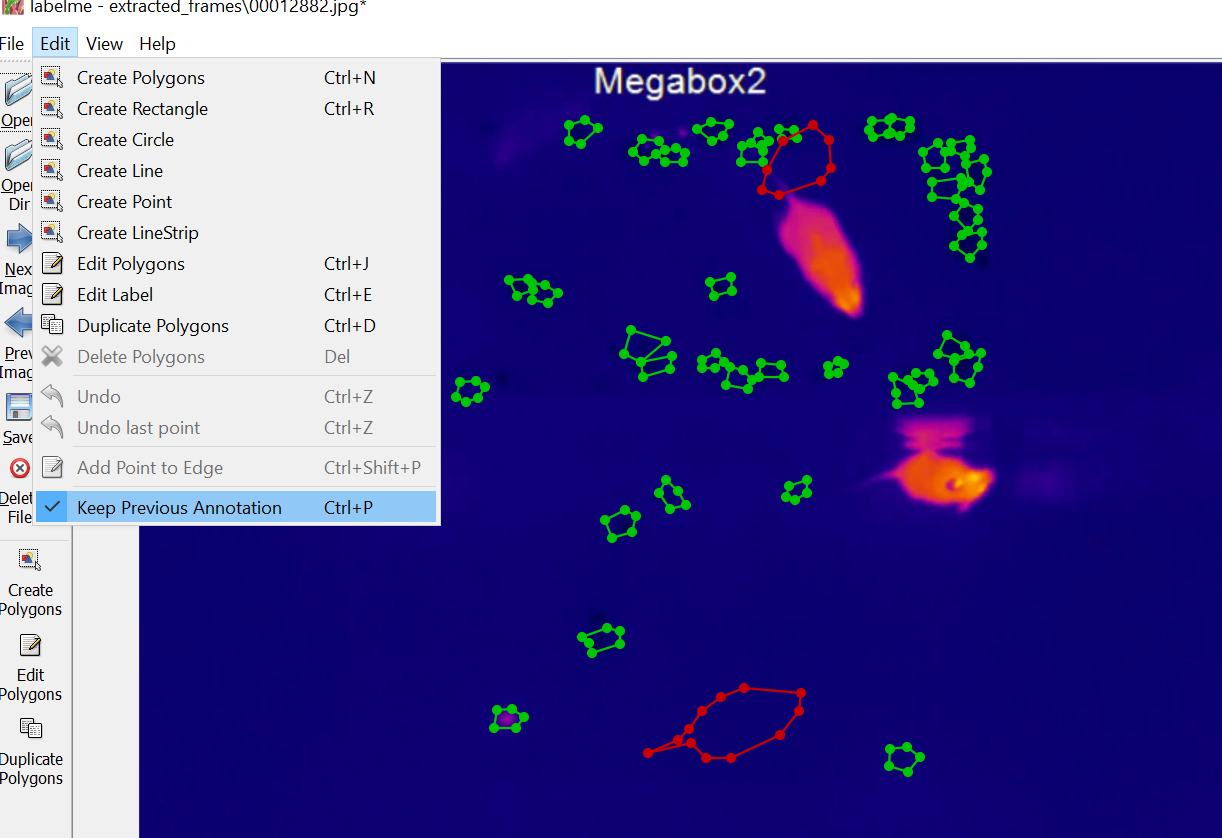
- Open a short video.
- Pick a representative seed frame.
- Add labels, polygons, boxes, keypoints, zones, or behavior flags as needed.
- Track or propagate forward/backward from the seed frame.
- Review overlap, occlusion, swaps, and high-motion sections early.
- Save LabelMe-compatible JSON files and export any analysis CSVs you need.
See Workflows for detailed operating patterns.
First CLI Session Checklist
annolid-run --help
annolid-run list-models
annolid-run help train
annolid-run help predict
annolid-run help train <model>
annolid-run help predict <model>
Use run-config templates under annolid/configs/runs/ for reproducible jobs.
For built-in models, the model help view now shows a grouped quick reference before the full option list.
If you want Annolid Bot to drive those commands for you, use the typed
annolid_run path described in Annolid Agent and annolid-run.
Optional Next Layers
- Zone analysis and assay summaries: Zone Analysis
- Video depth estimation: Video Depth Anything
- DINOv3 sparse-seed keypoint tracking: DINOv3 Keypoint Tracking
- TAPNext ONNX point tracking: TAPNext ONNX Point Tracking
- CoWTracker point tracking: CoWTracker Point Tracking
- SAM3 tracking and correction: SAM3
- Memory subsystem for reusable context: Memory Subsystem
- Agent integrations and MCP tools: MCP
- Security hardening for agents/secrets: Agent Security
- Behavior workflow tutorial (Timeline + Flags + Annolid Bot): Behavior labeling with Timeline, Flags, and Annolid Bot
- Practical tutorials and notebooks: Tutorials
Troubleshooting
qtpy.QtBindingsNotFoundError: install with.[gui]extra.- Missing codecs or video issues: install FFmpeg for your platform.
- Plugin/model command errors: check active environment and run
annolid-run --help. - Model downloads fail on first use: keep the exact traceback and retry from the active environment; many model paths download into
~/.annolid/workspace/downloads/.